Free ATS Resume Builder
Build a resume applicant tracking systems can actually read, then download it as a PDF. No watermark, no credit card, and no paid tier to get upgraded into — JobScoutly has no premium plan at all.
- No paid tier
- No watermark
- Unlimited exports
- ATS-friendly templates
On your phone? Use the mobile resume builder for iPhone and Android.
Managed the company blog
Grew blog traffic 40% in 6 months
What Makes a Resume ATS-Friendly
Two separate things have to go right, and most advice only covers the first.
First it has to parse
Most online applications pass through an applicant tracking system before a recruiter opens them. It parses your file into structured fields — name, titles, dates, skills — and text inside graphics, unconventional headings and columns that interleave when the page is flattened are where information gets dropped or attached to the wrong field. The failure is invisible: the document still looks correct on your screen.
Then the content has to match
Once it parses, the system scores your resume against the job description and ranks you alongside everyone else who applied. A perfectly formatted resume still ranks poorly if it does not reflect the role. Worth knowing: these systems mostly rank and filter rather than auto-reject — the practical effect of ranking low is simply that nobody reaches you.
The templates here handle the first half. The job description review handles the second.
What Applicant Tracking Systems Weigh
Once your resume parses cleanly, this is what decides where you land in the ranking.
-
Keyword and terminology match
Systems compare your resume against the language of the posting. Modern ones handle synonyms and context, but you still need the terminology the role and industry actually use — not your previous employer's internal wording for the same job.
-
Skills shown in context
A skill listed in a sidebar counts for less than the same skill inside an experience bullet that shows how you used it and what happened as a result. Where a term appears changes how much weight it carries.
-
Quantified achievements
Bullets with concrete numbers read as evidence to the software and to the recruiter who opens your resume afterward. "Cut response time 40%" carries more than "improved response times", and it costs the same line of space.
-
Experience alignment
Job titles, years of experience and industry fit are compared against the requirements. You cannot change your history, but you can make the relevant parts of it prominent instead of buried three bullets deep in an older role.
What's Included in the Free ATS Resume Builder
Every feature below is free. There is no premium tier holding any of it back.
-
ATS-friendly resume templates
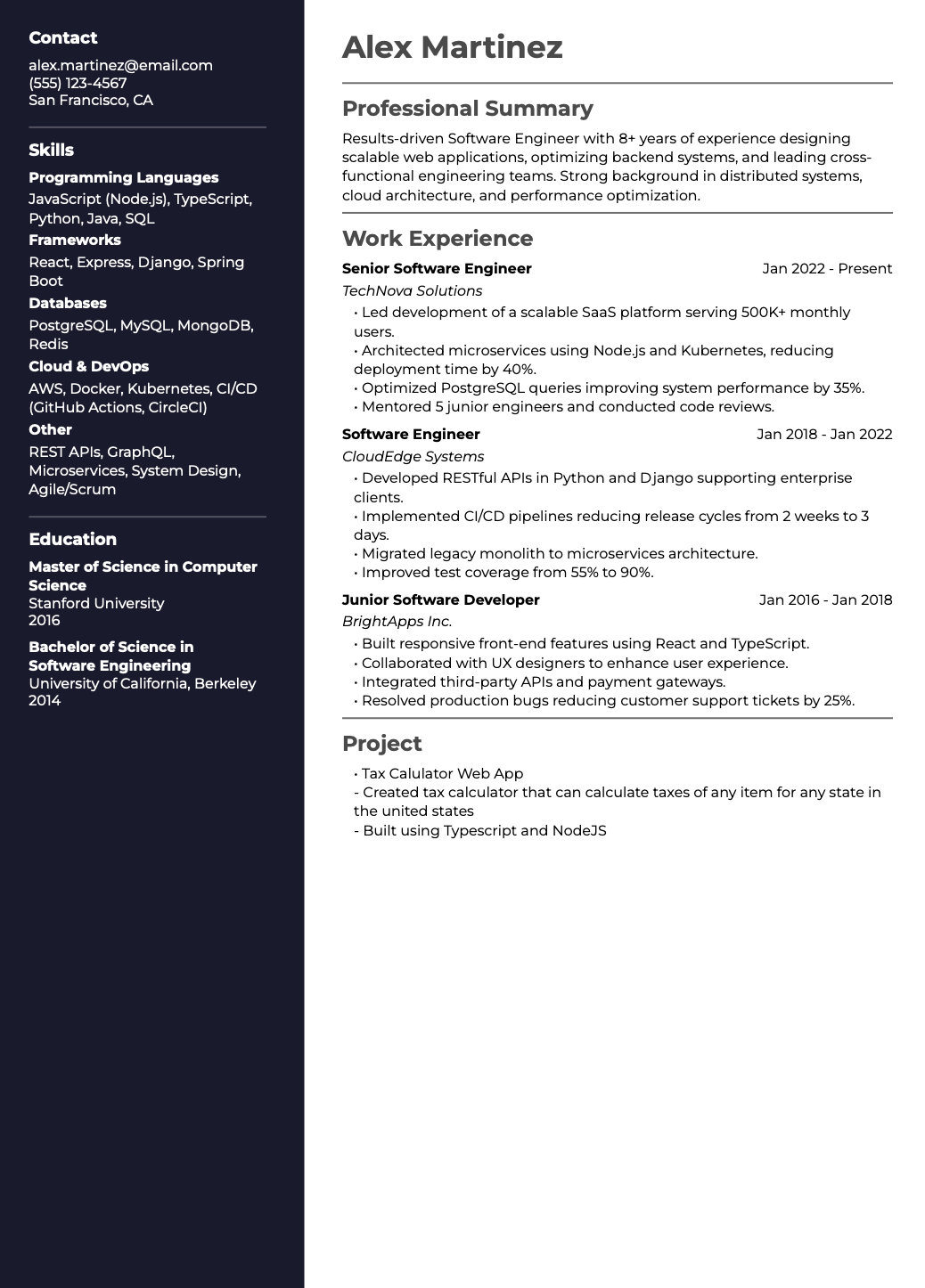
Professional ATS, Modern Centered, Modern Two Column and Modern Resume — clean layouts, conventional section headings and readable fonts, built against what a parser extracts rather than how the page looks.
Browse all templates -
AI writing assistant
Drafts achievement-focused bullet points and summaries from the role you enter. Accept, edit or replace anything — it exists to get you past the blank page, not to write in place of you.
-
Job description gap review
Paste a posting and see the keywords, skills and experience your resume is missing for that specific role, with a running count of how many you have resolved as you edit.
Job match analyzer -
Unlimited PDF downloads, no watermark
Export as many times as you need. The PDF carries selectable text rather than a flattened image, which is the property that lets applicant tracking software read it at all.
-
Shareable live resume link
Send recruiters a link that always shows your latest version, so an edit after you have sent it does not mean re-sending a new attachment.
-
Full style customisation
Template, font, size, colours and spacing from the Style tab, with sections draggable into any order. Every change updates the live preview immediately.
How to Build an ATS-Friendly Resume for Free
From a blank page to a downloaded PDF in about ten minutes.
-
Create a free account and bring in your resume
Sign in with Google or email — no card, no trial. Upload an existing PDF and the content imports into the editor, or start from a blank template.
-
Pick an ATS-friendly template and write the content
Single-column is the safest default, and the two-column option is built so its sections still extract in the intended order rather than interleaving. The two-panel editor previews exactly what will download while the AI assistant drafts bullets you edit into your own voice.
-
Check it against the job, then download
Paste the posting to see which keywords, skills and experience you are missing for that role, fix them in place, and export a clean PDF — unlimited, no watermark.
What "Free" Means Here
Here is everything you get at no cost — the full product, not a starter tier.
- Building and editing unlimited resumes Free
- Every template in the library Free
- AI bullet points and summaries Free
- Job description gap review Free
- PDF download — unlimited, no watermark Free
- Uploading and importing an existing resume Free
- Shareable live resume link Free
The honest caveat: a free account is required, which is how your resumes are saved and available across devices. Beyond that there is no upsell, because there is no paid plan to upsell you to. We also tested ten popular builders on exactly this — several let you build for free, then charge at the download step.
Who This Is For
-
Students and recent graduates
Build a first professional resume without paying for tools. The AI writer helps turn coursework, projects and internships into bullets that read like experience.
Resume examples -
Career changers
Reframe existing experience for a new field. The gap review is most useful here, because it names the terminology of the target industry your current resume is missing.
-
Job seekers applying at volume
Keep a tailored version per posting. With no per-download fee there is no cost to maintaining a separate resume for every role you go after.
Should you tailor every time? -
Anyone who hit a paywall elsewhere
Upload the resume you already built, switch templates and download it without paying. Importing works from any standard PDF export.
We tested 10 builders
Free ATS Resume Builder FAQ
Is this resume builder really free?
Yes — JobScoutly has no paid tier at all, so there is no upgrade to be pushed toward. Building unlimited resumes, every template, the AI writing assistance, the job-description review and unlimited PDF downloads are all included at no cost. The one thing required is a free account, which is what saves your resumes and makes them available across devices. Most builders in this category are freemium, where "free" describes an evaluation tier and the useful parts sit behind a subscription. That is a legitimate business model, but it means the word means something different there than it does here.
Is there a completely free resume builder with no hidden costs?
A genuinely free resume builder is one where you can build, format and download a finished resume without ever being asked for payment — and the common failure point is the download step, not the editor. The usual patterns are charging at export, stamping a watermark across the PDF unless you upgrade, limiting you to a couple of templates, or gating the AI features. JobScoutly has none of those because it has no paid plan to gate them behind. We also tested ten popular builders against exactly these criteria; several let you build for free and then charge $20 or more the moment you click download.
Is this an ATS-friendly resume builder?
Yes. An ATS-friendly resume is one applicant tracking software can parse correctly, meaning it reads your titles, dates, employers and skills into the right fields rather than scrambling them. That comes down to a single-column layout, conventional section headings, real selectable text instead of words inside images, and no tables or side-by-side blocks that interleave when the parser flattens the page. JobScoutly's templates are built against that parsed output rather than the visual layout, and the PDF export produces selectable text — which is the property that lets a system read the file at all.
How do I know my resume will pass ATS?
Two separate things have to go right, and most advice only covers the first. Your resume has to parse cleanly, which is a formatting question and is what an ATS-friendly template handles. Then its content has to match the role, which is a relevance question no template can solve — a perfectly parsed resume still ranks poorly against a job it does not reflect. In the builder you paste the job description and the review lists the keywords, skills and experience your resume is missing for that specific posting, then tracks how many you have resolved as you edit. It is an itemised list rather than a single score, because the list is the part you can act on.
Can I download my resume as a PDF for free?
Yes, as many times as you want, with no per-download fee and no export limit. The file is a clean PDF with selectable text — worth knowing because an image-based PDF or a screenshot has no text for an applicant tracking system to extract, which is a common and completely invisible way for a resume to fail. If you can select and copy the text in your PDF, so can the software reading it.
Does the downloaded PDF have a watermark?
No. Every PDF you download is clean, with no watermark and no JobScoutly branding anywhere on the document. Watermarking free exports is one of the most common upgrade prompts in this category, which is why it is worth stating plainly: it does not happen here, at any usage level.
Can I build a resume without a credit card?
Yes. No payment information is requested at sign-up or at any point afterward, because there is no paid plan for a card to be attached to. Create a free account with Google or email and you can start immediately.
Can I create multiple versions of my resume?
Yes, with no limit on how many. This matters more than it sounds: tailoring a resume to each posting measurably outperforms sending one generic version, and the practical barrier is usually that builders charge per download or cap how many resumes you can keep. Each version saves separately and you can switch between them at any time, so maintaining a distinct resume per role costs you nothing but the editing time.
How does the AI writing assistant work?
You enter your role and the assistant drafts achievement-focused bullet points and professional summaries you can accept, edit or replace. It works from what you actually did rather than inventing experience, and the output is a starting point rather than a finished line — the aim is getting past a blank page faster, not writing in your place. Bullets that lead with a concrete action and end in a measurable result read better to both a recruiter and the software ranking your application.
Can I upload an existing resume and edit it?
Yes. Upload a PDF of your current resume and the content is imported into the editor, where you can switch templates, rewrite sections with AI assistance, reorder the layout and export a new PDF. This is the fastest route if you already built a resume somewhere that now wants payment to let you download it — importing works from any standard PDF export.
Should I send a PDF or a Word document?
PDF is the safer default. It preserves your formatting between your screen and the recruiter's, and modern applicant tracking systems parse text-based PDFs correctly. The genuine risk is not the format but the file: an image-based PDF, a scan or a screenshot contains no extractable text, so the parser sees an empty document. Submit DOCX only when a specific application explicitly asks for it.
Build an ATS-Ready Resume for Free
ATS-friendly templates, AI writing help, job description review and unlimited PDF downloads. No watermark, no payment, no paid tier.